Userstyle, “align”
May 3rd, 2020 12:07 pm![[personal profile]](https://www.dreamwidth.org/img/silk/identity/user.png) terra posting in
terra posting in ![[community profile]](https://www.dreamwidth.org/img/silk/identity/community.png) vigils
vigils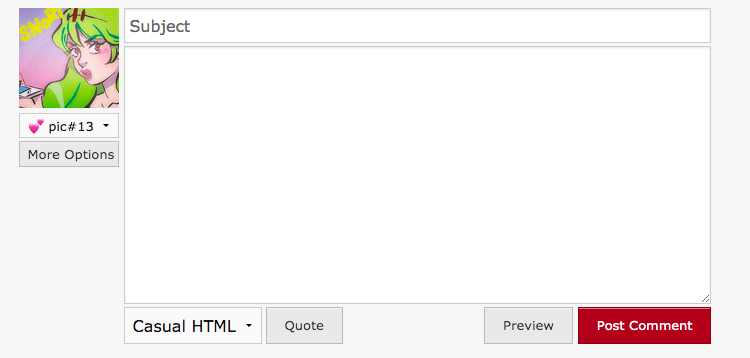
This is a userstyle for Dreamwidth that tweaks the reply form on the new DW codepush. It's a pretty simple CSS grid. As a userstyle it requires an extension like Stylus, but any extension that lets you add custom CSS to websites should work.
F.A.Q.
Does this work with the DW Tools extension?
I think so. This code uses a grid format to position elements, not hard margins, so it should be pretty flexible. This time around I did have to tweak the custom buttons to fix an alignment but I don't think that will break anything.
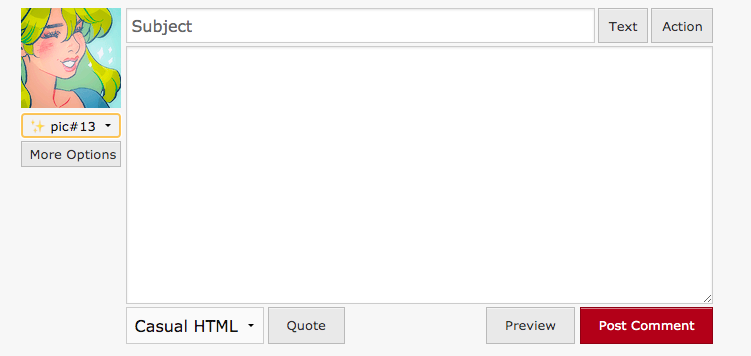
Here's what a free account looks like with DW Tools installed:
Does this work with other userstyles for the Dreamwidth comment form?
Maybe! I don't know! In general, it probably won't work mix well if something relies on margins or relative positioning to work, but color hacks should be fine.
Will this work with future Dreamwidth code push changes?
????
How do I install a custom CSS sheet using stylus?
There's a mini tutorial in this plurk provided by eskiwen!
A Variation
You can use the CSS order property to change around the position of the elements in the left column. One thing you could do, for example, is move the icon to the top.
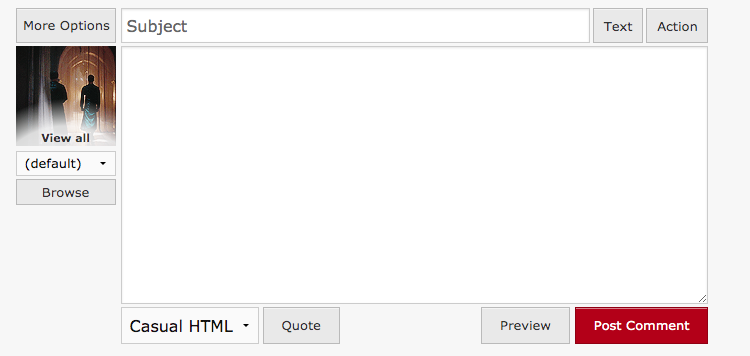
The code for that is here (use this instead of the above CSS):
But you're free to experiment and tweak to your heart's content.
Updates
7/26/20 Updated code so that it works with the new codepush. Screenshots changed to reflect our new reality.



no subject
Date: May 3rd, 2020 08:10 pm (UTC)no subject
Date: May 3rd, 2020 09:30 pm (UTC)no subject
Date: May 3rd, 2020 11:42 pm (UTC)no subject
Date: May 6th, 2020 10:50 pm (UTC)no subject
Date: May 6th, 2020 10:53 pm (UTC)no subject
Date: May 6th, 2020 10:54 pm (UTC)no subject
Date: May 10th, 2020 09:59 pm (UTC)no subject
Date: May 10th, 2020 10:20 pm (UTC)#qrformdiv .qr-meta #randomicon { display: block !important; width: 100%; margin-left: 0; }Should work for this!
no subject
Date: May 10th, 2020 10:34 pm (UTC)no subject
Date: July 26th, 2020 08:50 pm (UTC)This might be a problem that can't be fixed, but I thought I'd try here in case you had any ideas.
So, I'm using Firefox (I use both, but I prefer tagging on FF), and I have DW Tools—the addon has been super broken for me for a long time now, so I can only use the Action/Text tag buttons—for some reason, it still shows the Imgur Icons button even though I've never used it. And it looks like this...
I'm wondering if you know of a way to hide it completely using your userstyle? It's... also only on my paid accounts. On my basic account, the Imgur Icons button is lower, not in front of anything. Thanks for your time!
ETA This is what it looks like on my nonpaid account:
no subject
Date: July 26th, 2020 10:55 pm (UTC)#imgur_userpicselect { display: none; }
no subject
Date: July 26th, 2020 11:06 pm (UTC)#qrformdiv .qr-meta #imgur_userpicselect {
display: none !important;
width: 100%;
margin-left: 0;
}
Which did work? SO! Thank you!