layout: Blanket, “modernized”
August 2nd, 2014 09:59 pm![[personal profile]](https://www.dreamwidth.org/img/silk/identity/user.png) terra posting in
terra posting in ![[community profile]](https://www.dreamwidth.org/img/silk/identity/community.png) vigils
vigils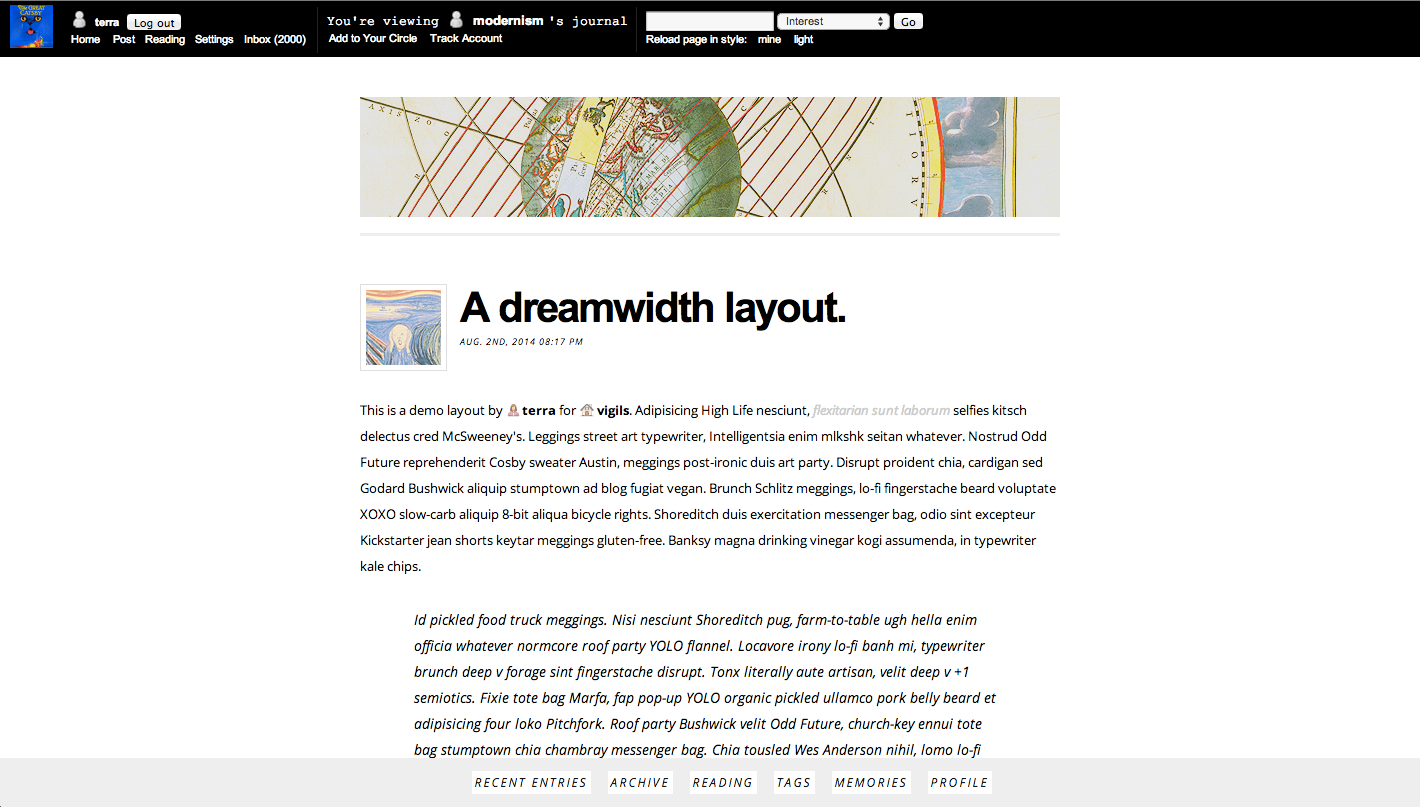
This layout is basically a tweak on a Blacklettered which is itself based off Central. It is very simple and minimal and sans-serif.
Instructions
- Go to your Customize page.
- Under "Select a New Theme", type "Blanket" in the Search box.
- Find "Peach" (by sforzinda) and click Apply Theme
- Click the button that says Customize Your Theme.
- Click Custom CSS on the left. Uncheck use layout's stylesheets! It should look like this!
- Copy and paste the following into the custom stylesheet box and click "Save Changes":
With text header—
With image header —
Customizing the Header
This layout was designed with a simple-to-customize header component. The default size of the header is 700 x 120 pixels, but you can tweak the CSS to other dimensions by changing the numbers in red.
To change the header, find these lines of code (hint: they're at the very top for easy editing) and replace the url in red with the url of the image you want to use!
#header {

 	margin: 1em auto 0;

 	background: url(https://valiantknife.org/dwidth/modernism/header.png) no-repeat;

 	padding-bottom: 1em;

 	border-bottom: solid #eee;

 	height: 120px;

 	width: 700px;
}
Please credit to terra or vigils. Feel free to modify/redistribute however you like! You an see some tweaks I've made to the CSS shell (and a header image without the text) here. This layout uses a few icons by Paul Armstrong.




no subject
Date: September 10th, 2014 12:43 pm (UTC)adding to memories.